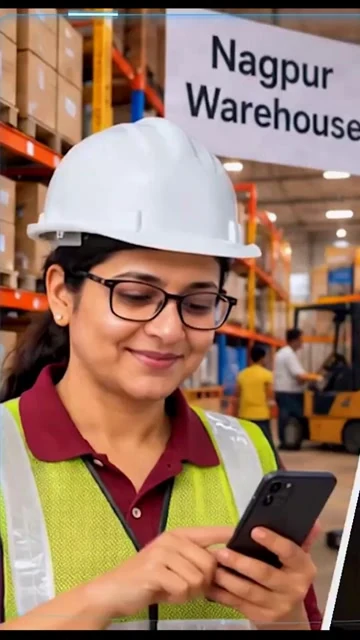
At the counter. In the warehouse. Across your business. The tools within the Traidster suite help your people make the next move—with everyone working from a shared picture.
THE BUSINESS BENEFITLess price chasing. More time selling.
Illustrative product visual from the film · example data Tap the screen to explore.
TWO FORMATS. THE SAME CONNECTED BUSINESS.
Who places the order? You decide.
TMallMall
One app. Two ways to order.
01 / SALES-ASSISTED ORDERSFor your sales team
SALES REPRESENTATIVE
ORDER ON BEHALF OF
ACustomer ASelected for this order✓
BCustomer B
CCustomer C
One salesperson · multiple customers
Your salesperson. Multiple customers.
Your salesperson selects the customer and places the order on their behalf. Move between customers while keeping each customer’s products, prices and orders in context.
1Select the customer
2Build their order
3Submit on their behalf
02 / DIRECT CUSTOMER ORDERSFor your customers
YOUR CUSTOMER’S CATALOGUE
Product A
Product B
Your cart2 items
Place my order→
✓
Order placedDirectly by the customer
Your customer · their own order
Your customer. Their own order.
Customers browse their applicable catalogue and pricing, build a cart and submit their own orders directly—without waiting for a salesperson to enter the details.
1Browse the catalogue
2Add products to the cart
3Place the order directly
Illustrative ordering flows · example customers and products
CAPTURE THE OPPORTUNITY
From interest to action.
Capture enquiries and leads, build a cart, place an order and reserve stock.
SIMPLIFY MULTI-SELLER ORDERS
One cart. Clear routing.
Let customers order across sellers. Traidster splits the order and routes each seller’s part to the relevant warehouse.
KEEP THE CUSTOMER INFORMED
See what happens next.
Follow order and delivery status from the same app, reducing the chain of follow-up calls.
TShipShip
For warehouse managers and dispatch teams
From “Can we fulfil it?” to “Ready to go.”
Give the warehouse a clear decision and a clear next step. Keep stock, preparation and dispatch moving together.
DECISIONS WHERE THE STOCK IS.
01
Accept with stock in view
Let the warehouse manager accept or decline an incoming order based on availability, so the business can act on a real answer.
02
Prepare work in useful groups
Bring orders into lots, mark them ready and move them towards shipment. Give dispatch a shared view of what can leave next.
03
Bring documents into the dispatch flow
Keep invoice and e-way bill preparation connected to dispatch, helping reduce the manual coordination that holds a shipment back.
Illustrative product visual from the film · example data
For operations, sales, finance and business owners
Know what’s waiting. See what it means.
An order is more than a status. It is stock, work and money moving through your business. Bring those views together so the team knows where to act.
ONE BUSINESS. SHARED VISIBILITY.Explore the views below
PREPARE WITH CLARITY
Make the work between order and dispatch visible.
Coordinate inspection, customer-wise FIFO baskets, labels and packing lists. Help each team see what is ready and where the next handoff is waiting.
Select a view, then tap the visual to enlarge↗
Illustrative product visuals from the Traidster film · all figures are example data
THE BUSINESS BENEFIT
Spot a delay before it becomes a customer complaint. See the SKUs and working capital tied up at different stages, and follow payment and recovery from a common view.
Illustrative product visual from the film · example data
AI-POWERED INSIGHTS
Business Analytics
See what matters. Decide what comes next.
Bring analysis of your operations, customers, products, markets and salespeople into one clear view. Traidster uses AI to help you understand performance, spot where attention is needed and make business decisions quicker and easier.
01Operations
Find delays and understand where work is waiting.
02Customers
Understand buying activity and customer performance.
03Products
See which products are moving and where attention is needed.
04Markets
Compare performance across the markets you serve.
05Salespeople
Review individual and team sales performance.
THE LAST MILE IS A SHARED HANDOFFThe shipment arrives. The business knows.
✓
CONFIRMED HANDOVEROne less follow-up.
TDeliverDeliver
For delivery partners, with customer-confirmed handoffs
Close the delivery. Close the information gap.
Keep the final handoff connected to the order, so delivery progress stays visible across your business.
Know what is coming in
Give delivery partners visibility of incoming shipments and the work awaiting them.
Handle the final handoff
Deliver to the customer or hold a shipment for pickup, with a clear place for the next action.
Make receipt a shared fact
Record the confirmed handover and bring delivery status back into the wider order picture, reducing calls chasing the same update.
Let routine work move. Keep control of the decisions.
Across the suite, Traidster can connect the people, rules and exceptions that keep your business moving. You decide what runs automatically and what needs approval.
↪WHEN STOCK IS UNAVAILABLE
Keep the order moving.
Route a declined order to the next warehouse with stock, instead of restarting a chain of calls.
Warehouse A→Warehouse B ✓
!WHEN AN ORDER IS WAITING
Bring attention to the delay.
Use alerts and acceptance nudges to surface work that needs a response before the customer has to chase.
Awaiting acceptance→Nudge
✓WHEN APPROVAL MATTERS
Leave the decision with you.
Prepare a refund request for approval, with money moving only after the authorised owner approves.
Request prepared→Your approval
START WITH YOUR PROCESS
Show us how your business works.
Let’s understand your people, markets and order journey—and explore how Traidster can fit.